Your data has issues
There is a problem
- 9 entries must have valid URIs
| Reference | Name | Designation date | Document URL | Documentation URL | Geometry | Point | Notes | Entry date | Start date | End date |
|---|---|---|---|---|---|---|---|---|---|---|
| -1.480777 50.822814 | -1.480799 50.822752 |
Invalid URI |
-1.480822 50.822779 | 2026-08-18 | ||||||
| -1.544197 50.901231 | -1.544024 50.901376 |
Invalid URI |
-1.544092 50.901313 | 2026-08-18 | ||||||
| -1.576279 50.822458 | -1.576057 50.822621 |
Invalid URI |
-1.57608 50.822604 | 2026-08-18 | ||||||
| -1.575439 50.866317 | -1.575133 50.865871 |
Invalid URI |
-1.57524 50.866028 | 2026-08-18 | ||||||
| -1.60209 50.904966 | -1.60226 50.905025 |
Invalid URI |
-1.602191 50.905003 | 2026-08-18 | ||||||
| -1.579972 50.940716 | -1.580347 50.940828 |
Invalid URI |
-1.580304 50.940817 | 2026-08-18 | ||||||
| -1.710792 50.847017 | -1.710941 50.847047 |
Invalid URI |
-1.710904 50.847039 | 2026-08-18 | ||||||
| -1.770229 50.927051 | -1.770201 50.926548 |
Invalid URI |
-1.770208 50.926756 | 2026-08-18 | ||||||
| -1.760282 50.961765 | -1.760203 50.961789 |
Invalid URI |
-1.760222 50.961784 | 2026-08-18 |
How to fix this issue
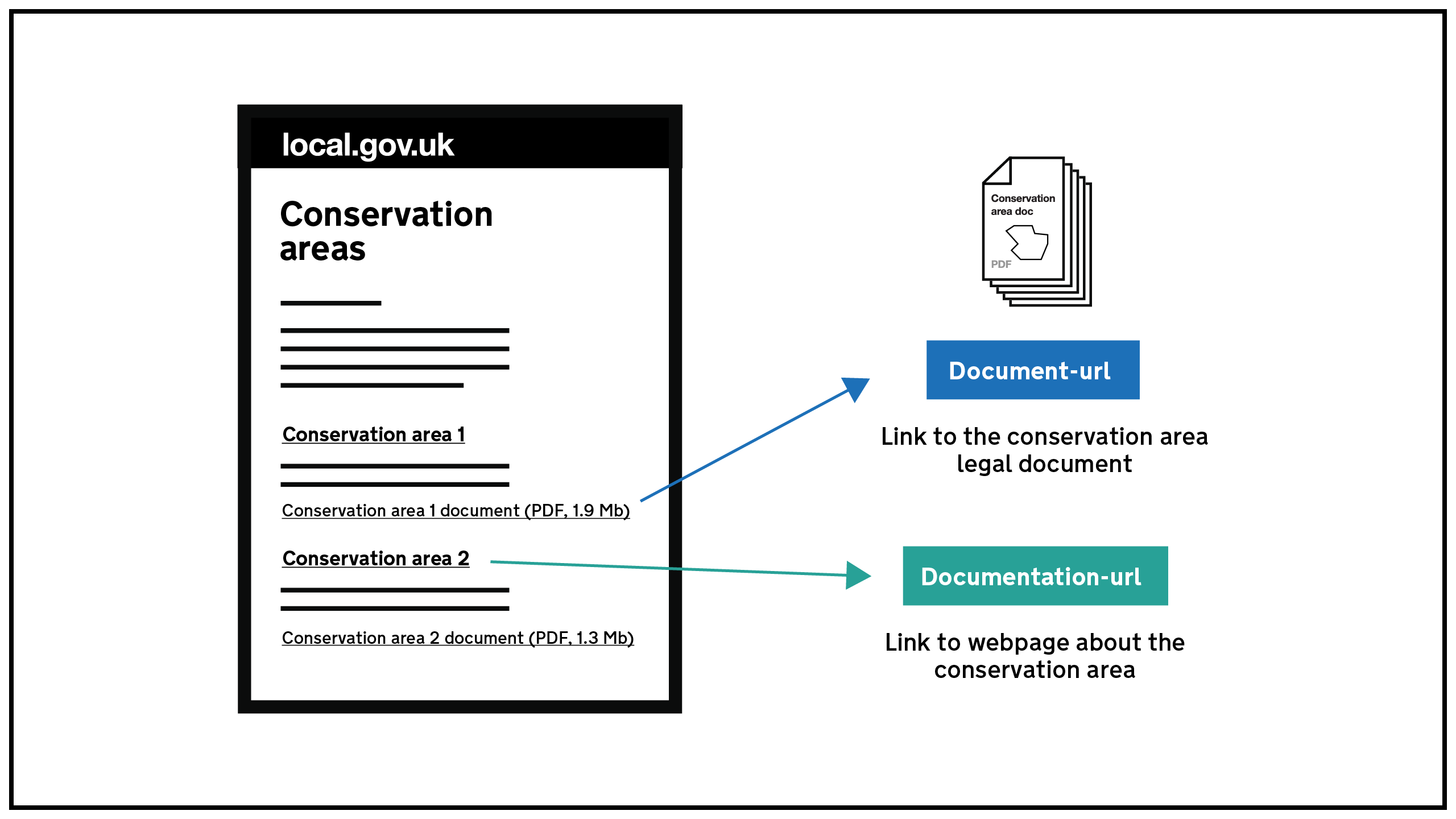
Your data is missing a documentation-url.
The conservation area guidance explains how to fix the issue:
documentation-url
The URL of the webpage on your website that introduces the document.
Each document should be linked to from a documentation webpage that includes a short description of the data and the document you’re linking to. Each conservation area should have a unique URL. This means you can create a separate page for each one, or you could list several on one page. If you do that, there must be a separate anchor (fragment identifier) for each one. This means each section of your page should have its own URL. Most publishing systems will allow you to use a hashtag to create the identifiers for each conservation area you list - as in the examples shown.
Examples:
One conservation area per page: http://www.LPAwebsite.org.uk/conservationareas/smithroad
More than one conservation area per page with an anchor link for each one:
http://www.LPAwebsite.org.uk/conservationareas#smithroad
http://www.LPAwebsite.org.uk/conservationareas#broadhousepark
How to improve New Forest National Park Authority’s data
- Fix the errors indicated
- Use the check service to make sure the data meets the standard
- Publish the updated data on the endpoint URL